






























Let's Talk About Magnetic Keyboards: The 0.01mm Placebo, Hidden Flaws, and What Actually Matters
GadgetHyper Team
June 12, 2026 · Magnetic Keyboards & Rapid Trigger
Hey everyone, Ray from GadgetHyper here. If you've stepped into any competitive gaming community over the last year, you've probably had a dozen people tell you to throw away your traditional mechanical deck and buy a magnetic (Hall Effect) keyboard. They promise it's a "legal cheat code" for tactical shooters.
But let's strip away the marketing fluff for a second. What is actually going on under the hood? Why do some magnetic decks feel amazing, while others cause your character to randomly stutter-step in the middle of a clutch?

The Magic Under the Keycap
Traditional mechanical switches rely on physical contact — a plastic stem pushes two metal leaves together to close a circuit. The actuation and reset points are locked in stone by the physical copper molding. Magnetic switches throw that out the window.
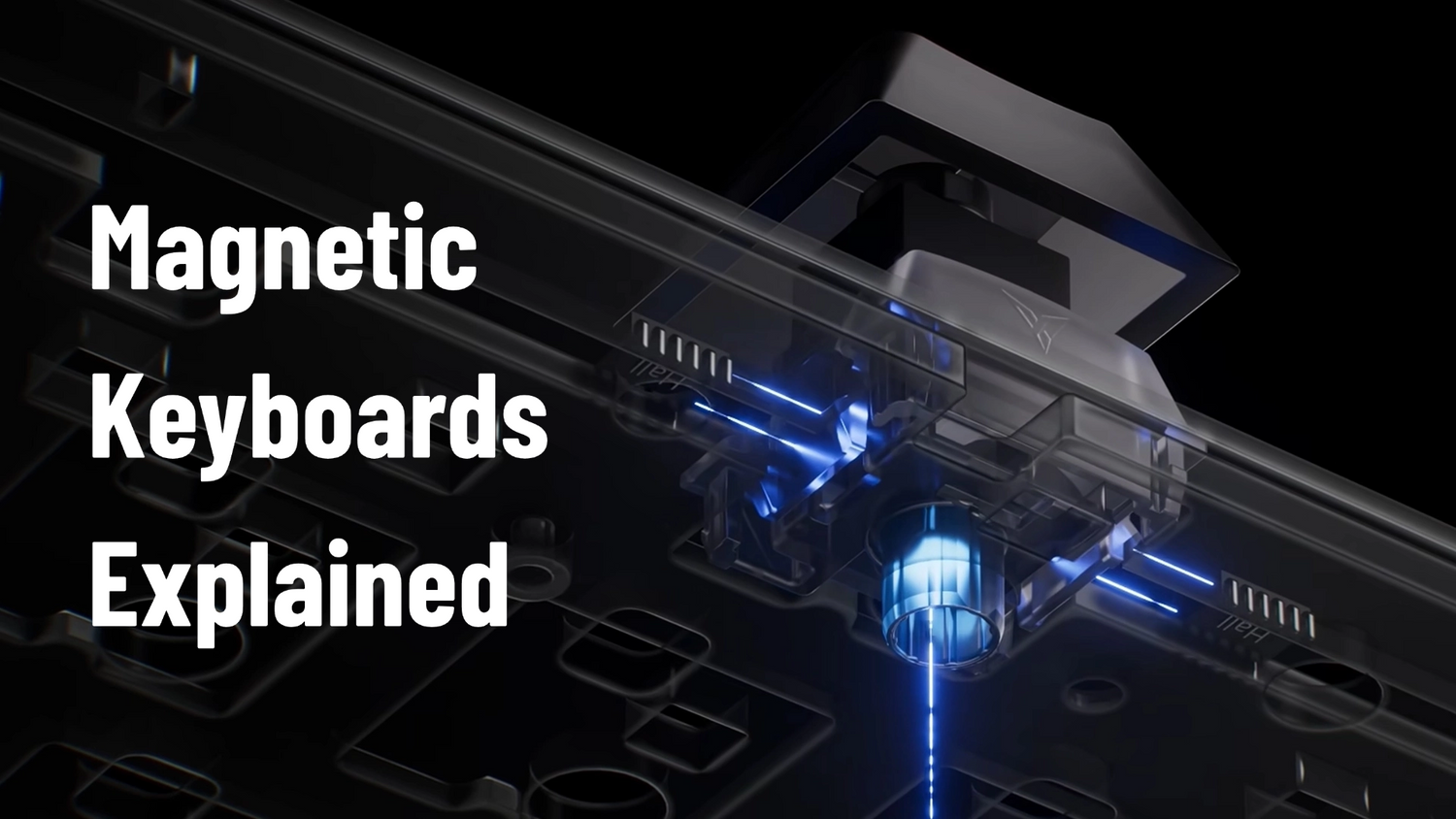
Inside each switch stem is a tiny magnet. Directly underneath on the PCB sits a Hall Effect sensor. When you press the key, the sensor measures the changing voltage caused by the magnetic field — and because it continuously tracks the exact distance of the switch, it unlocks Rapid Trigger (RT).
Dynamic Reset: The moment your finger lifts even a fraction of a millimeter, the key deactivates. The moment you press down again, it reactivates.
The Payoff: In games like CS2 or Valorant, where instant counter-strafing dictates whether your bullet hits a head or a wall, this tech genuinely cuts down physical latency.
The 0.01mm Placebo
Let's address the biggest piece of BS on every manufacturer's spec sheet: "0.01mm precision adjustments!"
"0.1mm is already thinner than a human hair. No human hand has the microscopic motor control to intentionally differentiate between a 0.05mm and a 0.01mm lift during a chaotic gunfight."
Brands love to flex these numbers, and players treat it like a giant spec-sheet dick-measuring contest on the forums — hyping up microscopic numbers to look superior on paper. Chasing raw precision numbers is a psychological placebo. What you actually need to worry about are the engineering flaws brands try to hide.
The Real Killers of Magnetic Performance
Because Hall Effect sensors are incredibly sensitive to analogue voltage shifts, they suffer from two major issues that mechanical switches don't care about.
01 — Stem Wobble
The "Stutter-Step" Glitch
When you hold W to walk forward but frantically mash A and D to strafe, your finger naturally shakes the W keycap sideways. Poor manufacturing tolerances let the stem wobble inside the housing — moving the internal magnet away from the sensor. If your RT is aggressive, the keyboard misinterprets that wobble as a finger lift. Your character randomly stops walking.
02 — Thermal Drift
The Slow Creep
Hall Effect sensors are highly sensitive to temperature. As your keyboard's RGB lighting heats up the case over a 4-hour session, or as ambient seasonal temperatures change, the magnetic field baselines warp — causing your carefully tuned actuation points to drift and behave unpredictably.
The "Gray Area" Features: SOCD & The Ban Hammer
Advanced firmware has introduced features like SOCD (Snap Tap), where mashing A and D simultaneously automatically prioritizes the last key pressed without requiring you to fully lift the first one.
While SOCD, DKS (Dynamic Keystroke), and Macro TGL are technically impressive, be incredibly careful. Valve has actively banned native SOCD/Snap Tap behaviors in CS2 matchmaking, and other competitive leagues are following suit. If you use these features, make sure your software lets you easily toggle them off to protect your account.
How the Tech Matured: The Flydigi FS68 Solution
Instead of just chasing fake placebo numbers, engineering teams have spent the last few months figuring out how to fix these underlying physical bottlenecks. A prime example of this second-generation architecture is the new Flydigi FS68.

Wiping Out Dead Zones — Multi-Hall Axis
Stem wobble and low-resolution tracking at the top of a key press.
A "Dual Judge" system elevates two independent Hall sensors into the mid-travel zone of the switch, continuously cross-checking the signal.
Completely eliminates random micro-disconnects from shaky fingers.
Killing Thermal Drift — Triple-Zone Tracking
Actuation points drifting as the keyboard heats up over long sessions.
Three localized thermal tracking chips across the chassis feed an algorithm that dynamically compensates sensor baselines on the fly.
Actuation points stay identical from minute one to hour six.
Predicting Your Intentions — Pre-RT™
Standard RT waiting for the switch stem to physically move upward before registering release.
The WASD cluster's Quad-Hall matrix detects the microscopic drop in finger pressure before the spring even pushes the stem back up.
Shaves an extra 5–10ms off your counter-strafe response.
Fixing the Sound — Honeycomb Damping
Early magnetic keyboards feeling and sounding like typing on stiff concrete.
Because the FS68 handles stabilization through dual-sensor logic, Flydigi could drop in an isolated Honeycomb cushioning pad.
A deep, clean acoustic profile that feels good for daily work too.
The Anti-Ban Dial
The SOCD/profile compliance issue — needing to manually toggle settings before ranked matches.
A physical aluminum mechanical dial on the top right corner, paired with Flydigi Space Station profile setup.
Swap between hyper-aggressive casual and safe, league-legal office profiles with a 1-second physical click.
The Verdict
If you're buying a magnetic keyboard, stop looking at whether the box says "0.01mm" or "0.05mm." Look at the structural stability, look at how it handles heat, and make sure the software allows you to stay compliant with your favorite games.


Join the Conversation
What are you running for your RT settings?
Have you run into any weird disconnect issues or accidental inputs with older Hall Effect decks? Let's chat below — we read every comment.







Leave a comment
All comments are moderated before being published.
This site is protected by hCaptcha and the hCaptcha Privacy Policy and Terms of Service apply.